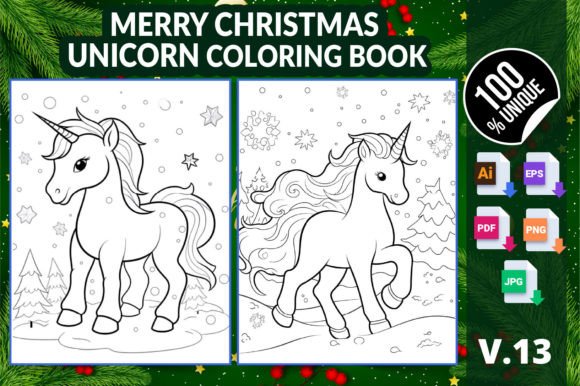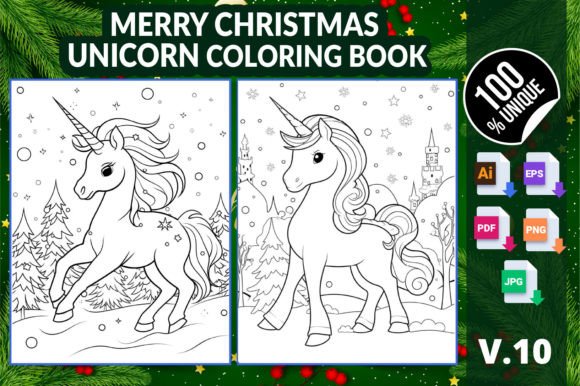
Merry Christmas Unicorn Coloring Book 10 – A Versatile Holiday Resource for Creators and Publishers
Holiday-themed coloring books remain a steady favorite in both personal creative projects and commercial print-on-demand markets. The Merry Christmas Unicorn Coloring Book 10 combines two universally appealing elements – festive Christmas motifs and whimsical unicorns – into a single, well-structured set of interior pages. Whether you are a parent looking for screen-free holiday activities, an educator planning seasonal classroom work, or an entrepreneur building a KDP product line, this digital printable collection offers practical flexibility. Understanding its file formats, resolution specifications, and integration points helps you use it effectively before, during, and after your project.
What the Merry Christmas Unicorn Coloring Book 10 Includes
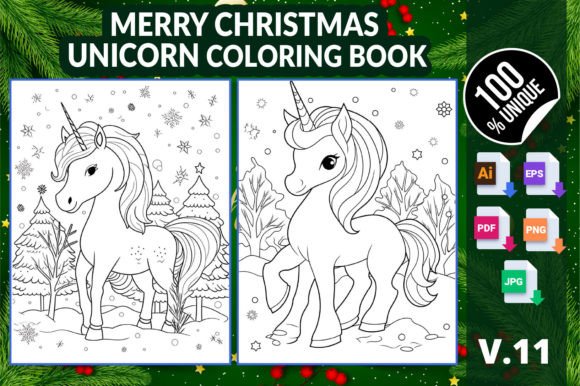
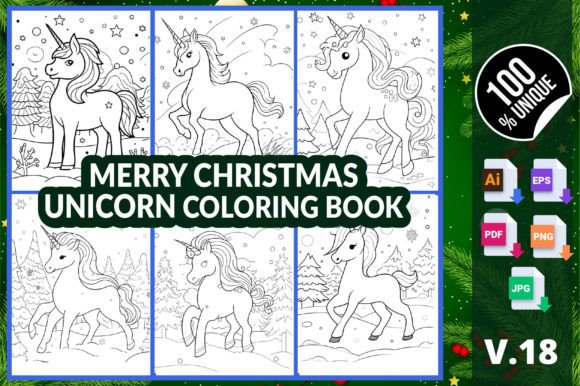
The product consists of six distinct coloring page interiors, each designed around a merry Christmas unicorn theme. The download provides multiple file formats: AI (Adobe Illustrator), EPS (Encapsulated PostScript), PDF, PNG, and JPG. All files are prepared at 8.5″ x 11″ inch dimensions, which is the standard trim size for Amazon KDP interiors and most home or office printers. The resolution is high, ensuring crisp lines and smooth gradients when printed or displayed digitally. This variety of formats means you can edit vector elements (AI/EPS), immediately print or upload (PDF), or use individual raster images (PNG/JPG) in digital promotions or quick print runs. The collection is described as suitable for adults, kids, and kindergarten students – a wide age range that expands its potential use cases.
Where It Fits in a Broader Creative or Publishing Process
The Merry Christmas Unicorn Coloring Book 10 functions as a ready-made interior asset. If you are an independent creator, you might use it as a standalone printable activity – for example, a holiday party favor or a quiet-time worksheet for children. In a professional workflow, it becomes a pre-validated content block for a KDP or Etsy product. You can add your own cover, adjust the interior order, or combine these six pages with additional content to create a larger coloring book. Because the files are provided in both editable vector and fixed raster formats, the transition from design to production is streamlined. You do not need to redraw or trace elements; the heavy lifting—illustration, layout, and formatting—is already done.
Practical Implementation Tips for Different Users
How you integrate this resource depends on your primary goal. Below are three common scenarios, each with a distinct workflow.
For Personal Use: Holiday Activities and Relaxation
If you are an adult seeking a stress-relieving creative break, or a parent preparing activities for children, the fastest path is to print directly from the PDF. Open the PDF, select the pages you want, and print at home on standard letter-size paper. The PNG files also work well if you prefer to use a digital coloring app (like Procreate or Adobe Fresco) on a tablet – simply import the PNG and color on separate layers. Because the design is cute but not overly simplistic, it appeals to both younger kids (larger shapes) and adults (intricate details in the unicorn mane and Christmas ornaments). For kindergarten students, you can print multiple copies for group activities; the clear outlines make it easy for small hands to stay within lines.
For Educators and Homeschoolers
Teachers can incorporate these pages into a holiday unit on winter celebrations, unicorn mythology, or even color theory. The PDF allows you to print as many copies as needed for a class. Because the files are high-resolution, they scale cleanly if you need to enlarge a page for group demonstrations. If you run a small tutoring business or a subscription box service, these interiors can be branded with your logo (using the AI or EPS vector files) before printing. The consistent 8.5″ x 11″ size also fits standard binders and portfolios, making them easy to include in take-home packets.
For Publishers and Print-on-Demand Entrepreneurs
This is where the product truly shines as a workflow asset. The Merry Christmas Unicorn Coloring Book 10 is described as “fully tested in the Amazon KDP platform and ready to list.” That means the PDF interior has already been formatted to KDP’s trim and bleed specifications. You can upload it directly as your book interior after designing a unique cover. The AI and EPS files give you the flexibility to customize the interior – for example, you might rearrange pages, add a title page, or insert your copyright notice. Because the files are vector-based, you can also rescale individual elements if you want to create a different layout (e.g., a smaller trim size for a pocket book). The ZIP archive contains everything you need in one download, reducing the time spent on file preparation and validation.
Integration with Tools, Platforms, and Assets
The value of this product extends beyond its immediate use as a coloring page. It interacts with several common tools and platforms in a publishing or creative workflow:
- Adobe Illustrator or Inkscape – Use the AI or EPS files to edit vector artwork. Change colors, add text, adjust scale, or combine pages from different collections.
- Canva or Affinity Designer – While these tools may not directly open AI files, the EPS and PDF formats are widely compatible. You can import the PDF into Canva (for quick edits) or use the EPS in Affinity for professional-grade vector manipulation.
- Amazon KDP – The ready-to-upload PDF interior means you can skip the formatting step. Test with KDP’s previewer to ensure spine and margins align with your cover. Because the dimensions are standard, you can also sell these interiors on Etsy as a “printable bundle” without any modification.
- Print-on-Demand Services – For softcover or spiral-bound books, the PDF can be submitted to services like IngramSpark or Lulu. The high resolution ensures output quality is maintained across different printers.
- Digital Asset Management – Organize the files in folders by format (vector vs. raster) and by usage (interior vs. promotional). The transparent PNG files are particularly useful for creating social media previews or listing images.
Workflow Example: From Download to KDP Listing
To illustrate how the Merry Christmas Unicorn Coloring Book 10 fits into a real publishing process, consider the following sequence:
- Preparation – Download the ZIP and extract all files. Inspect the PDF to confirm page order and quality. Open the AI file in Illustrator to add your title page and any customization (e.g., a line for the child’s name).
- Cover Design – Use the PDF interior as a reference for spine width. Create a matching cover that complements the holiday unicorn theme. Export the cover as a separate PDF following KDP’s guidelines.
- Upload to KDP – Log into KDP, create a new title, and upload the interior PDF (the one provided or your modified version). Go through the previewer – the interior should pass layout checks because it was tested for KDP.
- Pricing and Description – Write a product description that highlights the cute Christmas unicorn theme, the age range (adults, kids, kindergarten), and the fact that it’s a digital product if you are selling the printable version.
- Quality Control – Print a physical proof or use the digital preview to verify color accuracy and line crispness. Because the files are high-resolution, there should be no pixelation.
- Launch and Monitor – Once live, you can use the PNG images from the set to create promotional graphics for social media, email newsletters, or Amazon Ads. The consistent look across files makes branding easy.
Long-Term Use and Repurposing Opportunities
One often overlooked aspect of digital assets is their longevity. The Merry Christmas Unicorn Coloring Book 10 can be repurposed across multiple projects:
- Combine these six pages with other themed interiors (e.g., Halloween unicorns, spring unicorns) to create a seasonally rotating series of coloring books.
- Use the vector files to produce merchandise like stickers, fabric patterns, or greeting cards. The EPS format is compatible with most cutting machines.
- For educators, build a library of holiday activities that grow year after year. The PNG files can be imported into interactive whiteboard software for digital coloring during lessons.
- Content creators can use the images as coloring video backgrounds or timelapse content for YouTube or Instagram Reels. The clean vectors make it easy to isolate elements for animation.
The inclusion of both AI and EPS formats means you are not locked into one software ecosystem. If you switch from Adobe to Affinity or open-source tools, the EPS file will continue to be editable. This forward compatibility protects your investment and allows your library to evolve with your workflow.
Organizational Efficiency and Consistency
When working with multiple printable products, consistency in file naming and structure saves time. After downloading, rename the PDF to something like “MCF_Unicorn_Bk10_Interior.pdf” and keep the original ZIP as a backup. If you are producing a series, standardize your folder hierarchy: for each book, create subfolders for Vector Sources, Print-Ready PDF, Raster Images, and Promotional Assets. The high-resolution JPGs (300 DPI at 8.5″ x 11″) are ideal for listing thumbnails on marketplaces. The transparent PNGs are perfect for overlay effects on your cover mockups. By maintaining this system, you can quickly locate the right file when updating a product or creating new variations.
Before launching any product, perform a final quality check: open the PDF and zoom to 200% to ensure all lines are sharp. Verify that the file is correctly tagged with trim marks if needed for professional printing. Because this interior has been tested on KDP, much of that work is already done, but double-checking never hurts. If you plan to sell on multiple platforms (Amazon, Etsy, Gumroad), ensure the file size stays manageable – the provided JPG and PNG files are likely optimized for web use, while the PDF retains print-ready resolution.
Final Thoughts on Using Merry Christmas Unicorn Coloring Book 10
The Merry Christmas Unicorn Coloring Book 10 is more than a set of cute holiday pages. It is a coordinated asset pack designed to move smoothly from digital download to final product, whether that product is a printed activity book, a digital printable, or a component of a larger creative project. By understanding the file formats, the intended use cases, and the workflow integration points, you can reduce the friction between idea and execution. Adults seeking relaxation, educators planning lessons, and publishers building product lines will all find a practical starting point in this collection. The emphasis on ready-to-print files, vector editability, and platform compatibility means you can focus on the creative and business decisions that matter most, rather than on formatting technicalities.