Monthly Schedule Planner: Stay Organized & On Track
If you’ve ever stared at a blank calendar and felt more overwhelmed than inspired, you’re not alone. The gap between wanting to be organized and actually building a system that works is where most monthly planners fall short. The Monthly Schedule Planner printable template closes that gap by giving you a structured, visually clean framework that doesn’t just track dates—it helps you set intentions, prioritize what matters, and keep daily actions aligned with your bigger goals. Whether you’re a freelancer juggling multiple projects, a small business owner mapping out content calendars, or someone who just wants to stop letting weeks slip by unnoticed, this template offers a practical, adaptable starting point.
What the Monthly Schedule Planner Template Actually Looks Like
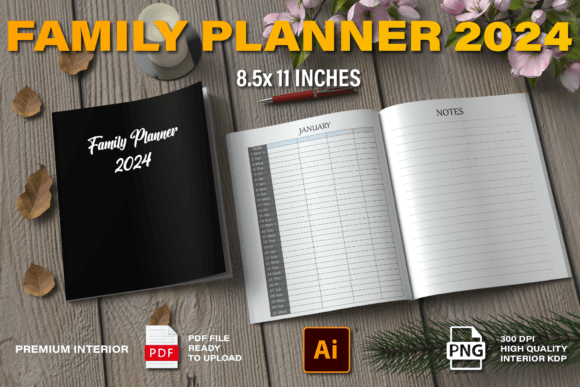
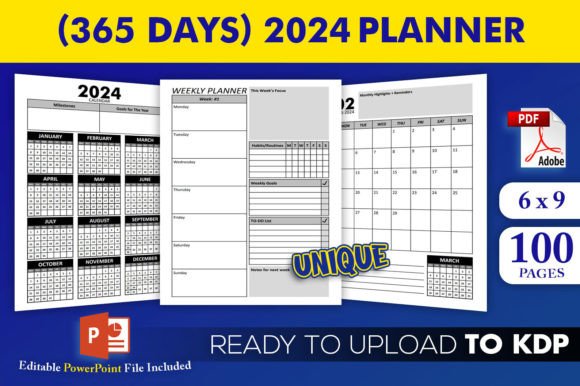
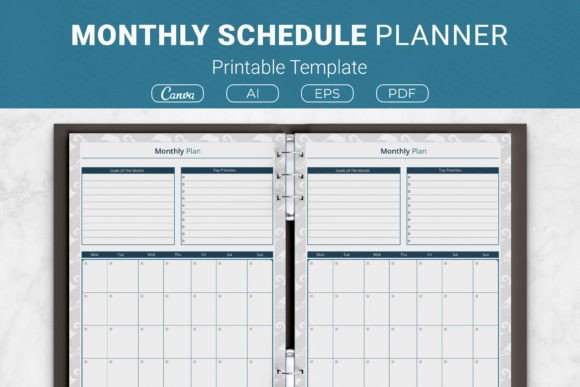
At first glance, the Monthly Schedule Planner feels purposeful and uncluttered. It isn’t plastered with decorative elements that distract from what you need to do. Instead, the layout is built around clear sections: a month‑at‑a‑glance grid, dedicated space for your top goals and priorities, and a daily schedule breakdown that lets you block time for tasks without micro‑managing every hour. The template uses a neutral, professional color palette and readable type sizes, so it works equally well printed in black and white at home or filled out digitally using the included Canva templates.
The personality here is intentional and grounded. It doesn’t try to be playful or overly minimalist—it lands somewhere between a business productivity tool and a personal journaling aid. The visual style respects white space, which makes it easy to scan quickly even when the page is full of notes. For designers, crafters, and KDP publishers, the template comes in multiple formats (AI, EPS, PDF, Canva link) and four size options, including US Letter, A4, 7.5×9.25 inches, and 6×9 inches. That means you can slot it into a binder, print as a standalone pad, or use it as an interior for a Kindle Direct Publishing project without reformatting.
Where This Planner Template Works Best in Real Projects
The Monthly Schedule Planner isn’t a one‑trick productivity sheet. Its versatility comes from how simply it adapts to different workflows and audiences. Here are a few scenarios where it stands out:
- Creative freelancers and designers – Use the goal and priority section to outline client milestones, then fill the daily rows with design tasks, revision slots, and admin blocks. The clean layout keeps your week visual without turning into a maze of sticky notes.
- Bloggers and content creators – Map out editorial themes monthly, then assign writing, editing, and promotion tasks to specific days. The separate priority space helps you identify the one or two pieces of content that will move the needle each week.
- Small business owners and solopreneurs – Track deadlines for product launches, marketing campaigns, and financial check‑ins. Because the template separates goals from daily tasks, you can quickly see whether your daily actions are actually supporting your quarterly objectives.
- KDP publishers and print‑on‑demand sellers – Since the template is provided as an editable AI file, a PDF, and a Canva link, you can modify colors, add your branding, and use it as a low‑content book interior. The 6×9 and 7.5×9.25 sizes are especially popular for small journals and planners sold on Amazon.
- Personal use at home – Keep a binder for household scheduling, meal planning, and personal goals. The non‑floral, neutral style appeals to adults who want organization without the “cute” aesthetic common in many printable planners.
How the Template Influences Readability, Focus, and Consistency
The real value of the Monthly Schedule Planner isn’t just the boxes you fill in—it’s how the visual structure shapes your behavior. By giving explicit space to goals and priorities before the daily schedule, the template encourages you to do the hard work of choosing what matters before you jump into task execution. That small shift in hierarchy can dramatically improve how consistently you follow through.
Readability is strong thanks to the generous line spacing and clear separation between sections. Unlike some planners that cram too much into a single spread, this one uses headings and subtle dividers so your eye can find the weekly overview or the goal box without scanning the whole page. For people who plan in short bursts (ten minutes in the morning, a quick review at lunch), that visual efficiency saves mental energy.
Brand perception matters too, especially if you’re using this template as a KDP interior or a client handout. The template doesn’t feel amateurish. The proportions are balanced, the fonts are clean and modern (the template itself uses sans‑serif headers and a lightweight bold for emphasis), and the overall impression is one of quiet professionalism. If you’re a small business owner wanting to offer a productivity tool to your audience, this template communicates that you pay attention to details.
Choosing the Right Planner Template for Your Needs
With so many printable planners available online, it’s worth asking what makes the Monthly Schedule Planner worth your time. Here are a few practical evaluation points:
- Structure vs. flexibility – If you need a planner that lets you design every column from scratch, this might feel too structured. But if you thrive when the categories are already set (goals, priorities, daily schedule), you’ll save time because you don’t have to redesign the framework every month.
- Size matters – The template offers four sizes, which is great for people who use different binder formats. If you’re printing for a personal binder, the A4 or US Letter works well. For a pocket journal or a KDP book, the 6×9 inch version is compact and portable.
- Digital versus print – The Canva template link makes it easy to fill in your schedule on a tablet or laptop and keep a digital archive. For those who prefer analog planning, the PDF can be printed multiple times. The editable AI and EPS files also mean you can tweak the layout to your exact preferences if you have design software.
- Commercial licensing – Because the package includes files suitable for KDP interiors, you can use this template in your own self‑published planner products. Just double‑check the license terms (the included files are generally open source for personal and commercial projects, but it’s always wise to confirm redistribution rights).
Practical Tips for Using the Monthly Schedule Planner Effectively
I’ve tested a handful of printable planners over the years, and the ones that stick are always the ones I actually open. Here are a few recommendations based on working with this template:
- Fill in the goals section first, even if it feels vague. It’s tempting to jump straight into daily tasks, but the goals box is where you check whether you’re climbing the right mountain. Write one or two main objectives for the month, then use the priorities section to break those into weekly chunks.
- Use the daily schedule as a time block, not a task list. Instead of listing every tiny errand, reserve blocks for focused work, meetings, and breaks. This prevents the planner from becoming a dumping ground for minor to‑dos that never get done.
- Print or duplicate the template for each month. Since the template is provided as a PDF and a Canva template, you can print multiple copies or duplicate the Canva page. Keep a stack printed and ready so you never skip a week because you forgot to download a new copy.
- Review at the end of the month. Use the white space around the daily grid to jot down a quick reflection: what worked, what didn’t, what you want to do differently next month. That simple habit turns the planner from a static record into a tool for continuous improvement.
- Pair with a digital calendar. The Monthly Schedule Planner is great for big‑picture monthly planning, but for reminders and appointments it helps to sync with a digital calendar. I use it as a weekly preview that sits on my desk while my phone handles the hourly alerts.
Commercial Use, Licensing, and File Flexibility
For independent publishers and print‑on‑demand sellers, the Monthly Schedule Planner is a solid candidate because it arrives in multiple editable formats. The Adobe Illustrator file lets you change colors, add your logo, or adjust margins. The EPS file is useful if you work with older design software. The PDF is print‑ready, and the Canva template is perfect for sellers who want to customize without learning advanced tools.
The sizes already mentioned (US Letter, A4, 7.5×9.25, and 6×9) cover the most common trim sizes for KDP paperbacks. If you plan to bundle this planner with other layouts—weekly logs, habit trackers, budget sheets—you can maintain consistent dimensions by using the same file format across your interior designs. The template’s neutral aesthetic won’t clash with other pages, making it easy to include as part of a larger productivity notebook.
One caution: even though the product description says “open source,” always clarify the license for any project you intend to sell. If you’re using the template as a KDP interior, you typically need a commercial license that allows modification and redistribution. In most cases, these planner files come with a standard commercial use allowance, but it’s worth reading the terms included in the download folder.
Why the Monthly Schedule Planner Deserves a Spot in Your Productivity Toolkit
There’s no shortage of planners that promise to change your life. But the ones that actually get used share a few traits: they’re easy to start, they don’t require a steep learning curve, and they adapt to how you already work. The Monthly Schedule Planner delivers on all three. Its balanced layout—goals, priorities, daily schedule—gives you just enough structure to stay on track without feeling like you’re filling out a bureaucratic form. The availability of multiple file formats and sizes means you can use it across print and digital platforms, whether you’re organizing your own month or creating a product for an audience.
What I appreciate most is the quiet confidence of the design. It doesn’t scream for attention; it simply makes the next right action visible. For anyone who has struggled with scattered to‑do lists or forgotten deadlines, that clarity is worth more than a dozen decorative flourishes. The Monthly Schedule Planner isn’t a magic solution, but it is a reliable framework—and sometimes that’s exactly what you need to turn intention into action.