Weekly Planner and Organizer for Kindle Creators
Creating professional interior designs for Amazon Kindle can be a time-consuming task, especially when you are juggling multiple projects or working with tight deadlines. If you have ever wished for a ready-made solution that still gives you room for personal flair, you might find exactly what you need in a Weekly Planner planner and Organizer template designed for Canva. This type of tool allows you to skip the hours spent formatting text boxes, aligning grids, and choosing fonts, and instead focus on what matters most: delivering a clean, usable product to your audience.
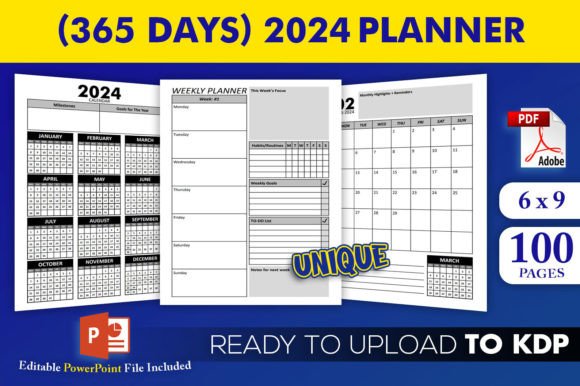
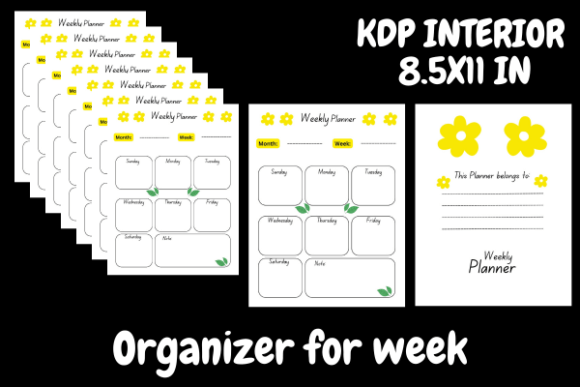
Imagine having a layout that is already structured around seven days of the week, complete with dedicated to-do lists and spacious note sections. That is the core of this template. It is not just a blank canvas; it is a thoughtfully arranged interior that gives users a clear way to organize their tasks, ideas, and priorities. For anyone working on Amazon Kindle who wants to produce attractive and functional planners without excessive effort, this approach offers a smooth shortcut.
What Makes This Weekly Planner Stand Out
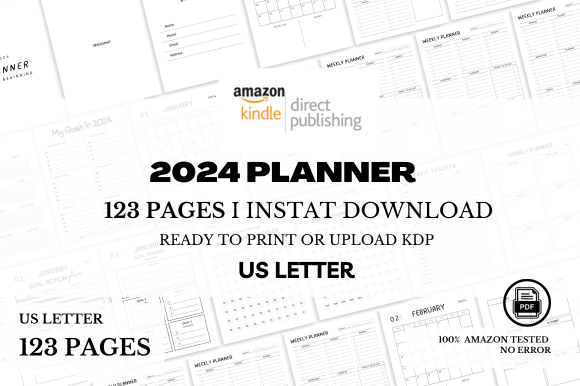
At its heart, this weekly planner and organizer is built on simplicity and flexibility. The template comes in a standard 8.5 x 11 inch size, which is familiar and practical for both digital use and print. Whether your customers prefer to keep their planner on a tablet or print it out and write by hand, the dimensions work well in both cases.
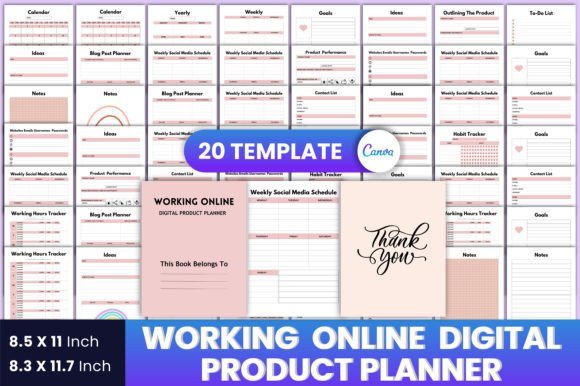
What really sets it apart is how easy it is to customize. Since it is a Canva template, you can open it in your browser, click on any element, and change it in seconds. Colors, fonts, text placement, and even the number of pages can all be adjusted. You are not locked into a rigid design. If you want a minimalist look, you can remove decorative elements. If you prefer something more playful, you can add icons, stickers, or backgrounds. This flexibility means you can create multiple variations of the same core layout, giving your customers more options without starting from scratch each time.
The template includes a to-do list for each day of the week, plus extra room for notes. This dual structure is helpful for people who want to track daily tasks while also jotting down ideas, reminders, or reflections. It strikes a balance between structure and freedom, which is exactly what many users look for in a weekly organizer.
Why Time-Strapped Creators Appreciate This Template
If you are working on Amazon Kindle and do not have enough time to create beautiful interiors from scratch, this template becomes a practical ally. The design is already visually appealing, so you do not need advanced graphic design skills to produce something professional. You can simply edit the text, choose your color palette, and you are ready to upload.
Another major advantage is that you can choose the number of pages. Whether you want a compact 52-week planner or a shorter 12-week version, you have control over the length. This means you can test different formats, offer seasonal planners, or create targeted versions for specific audiences, such as students, freelancers, or busy parents.
Because the interior is ready to upload, you skip the technical setup. No worrying about margins, bleed lines, or inconsistent spacing. The template has already been structured with printing and Kindle requirements in mind, so you can focus your energy on the content and cover design instead.
Who Benefits From This Type of Planner
While the template is especially useful for Kindle creators, the audience for a good weekly planner extends far beyond that. The typical user is an adult between 20 and 50 years old, someone who values organization but does not want to spend hours building a system from scratch. This could be a freelancer managing multiple clients, a small business owner tracking daily operations, or a blogger planning content for the week.
It also appeals to students who need a simple way to track assignments and deadlines, educators who want to map out lesson plans, and hobbyists who enjoy bullet journaling but prefer a pre-made structure. Even marketers and entrepreneurs who manage busy schedules can use this template as a quick reference to stay on top of priorities without flipping through complex systems.
The beauty of this weekly planner and organizer is that it does not try to be everything at once. It focuses on the essentials: a clear view of the week, a way to list what needs to get done, and space to capture thoughts that do not fit neatly into a checkbox. That simplicity is what makes it useful across so many contexts.
Practical Use Cases for Everyday Life
To see how this template works in real situations, consider a few scenarios. A freelance writer might use the to-do list portion to track article deadlines for each day, while the notes section holds ideas for future pieces. A busy parent could assign daily chores or appointments in the to-do areas and use the notes space for grocery lists or school reminders.
A small business owner might use the planner to map out weekly marketing tasks, client calls, and product development steps. The notes section becomes a place to log quick reflections on what worked or what needs adjustment. A college student can track study sessions, project milestones, and extracurricular commitments all in one place, with the notes area reserved for exam tips or lecture summaries.
Even in creative fields, such as a graphic designer or illustrator, this planner helps separate client work from personal projects. The structured layout provides a sense of order without being rigid. Each day stands on its own, yet the week is visible at a glance, which helps with prioritization and time management.
Important Considerations Before Using the Template
Before you dive in and start editing, there are a few things worth keeping in mind. First, while the template is highly customizable, you cannot sell the work as your own if you are reselling the template itself. The license typically allows you to use it to create a product for sale, such as a completed planner on Amazon, but not to redistribute the raw template files. Always check the specific terms provided with your download to stay compliant.
Second, because this is a Canva template, you will need a Canva account to edit it. The free version of Canva works well for most basic changes, but if you want to use premium elements, images, or fonts, you may need a Canva Pro subscription. That is a minor consideration, but it can affect your overall cost if you plan on creating many variations.
Third, think about your target audience. While a general weekly planner appeals to many people, you might want to tailor the design slightly to match a specific niche. For example, if you are designing for teachers, you could add subject headings. If your audience is fitness enthusiasts, you could include a habit tracker or water intake log. The template gives you the freedom to make these adjustments, so the only limit is your imagination.
Also consider the visual style. The template is described as cute, which suggests soft colors, friendly fonts, and approachable layouts. That works well for many personal and creative audiences. But if you are targeting corporate professionals or minimalists, you may want to simplify the design by removing decorative elements and choosing a neutral color palette. That is entirely possible with Canva, and it takes only a few clicks.
Balancing Flexibility with Consistency
One of the strengths of this weekly planner and organizer is that it gives you a consistent framework across all pages. Each week looks similar, which creates a sense of familiarity for the user. At the same time, you have the freedom to introduce variety, such as changing the accent color for each month or adding seasonal icons. This balance between repetition and novelty keeps the planner engaging without confusing the user.
For Kindle creators, this is especially useful. Readers of planners often appreciate a predictable layout because they can form a habit quickly. If the design changes too much from week to week, it can be distracting. The template provides just enough consistency to support routine, while still leaving room for customization that makes your version feel unique.
Getting Started with Your Own Planner Project
If you are new to creating interiors for Amazon Kindle, a template like this is a great starting point. You do not need to learn advanced design software or struggle with formatting. You simply open the template in Canva, replace the placeholder text with your own, adjust colors and fonts to match your brand or theme, and export your file. The 8.5 x 11 inch format is widely accepted on Kindle, and because the interior is already designed, you can focus your attention on the cover and product description, which are equally important for sales.
Another practical tip is to create a few different versions of the same template. For example, you could produce a black and white version for customers who want to print at home and save ink. You could also create a version with a specific theme, such as floral, geometric, or tropical. Each variation gives you a separate product listing, which can help you reach different segments of the market without designing from scratch every time.
Because the template allows you to add or remove elements, you can also experiment with extra pages. Some planners include a monthly overview, goal setting pages, or habit trackers. You can incorporate these extras if they fit your vision, or keep it simple with just the weekly spreads. The choice is yours, and that kind of control is rare in pre-made templates.
What to Avoid When Using a Pre-Made Template
While templates are incredibly helpful, there are a few pitfalls to avoid. One common mistake is over-customization. It can be tempting to add too many elements, stickers, or fonts until the design feels cluttered. Remember that the primary function of a planner is usability. If the layout becomes chaotic, it loses its value. Stick to a clean, readable structure, and let the content speak for itself.
Another issue is neglecting the user experience. Think about how someone will actually use this planner. Will they write in it daily? Is there enough space for handwriting? Are the to-do lists large enough to hold multiple tasks? Testing your design with a sample page or two can reveal issues you might not notice otherwise.
Also, pay attention to file quality. When you export from Canva, choose a high-resolution PDF or PNG format suitable for print-on-demand or Kindle. Low-resolution files can look unprofessional and may lead to customer complaints or returns.
Finally, respect the terms of use. As mentioned earlier, you cannot sell the template itself. You are purchasing the right to create a final product using the template, not to resell the template as your own. Keeping that distinction clear ensures you stay on the right side of licensing agreements.
Final Thoughts on the Weekly Planner Template
If you are working on Amazon Kindle and do not have enough time to create beautiful interiors, a weekly planner and organizer like this one offers a practical and affordable solution. It gives you a professional starting point, saves hours of setup time, and lets you focus on the creative and strategic aspects of your business. The template is simple enough for beginners, yet flexible enough for experienced creators who want to produce multiple variations quickly.
Whether you are a freelancer, educator, entrepreneur, or hobbyist, having a well-organized weekly planner can make a real difference in how you manage your time and tasks. And if you are the one creating that planner for others, you are offering a tool that helps them do the same. That is a valuable contribution, and with the right template, it becomes far easier to achieve.